About SelectToolbar
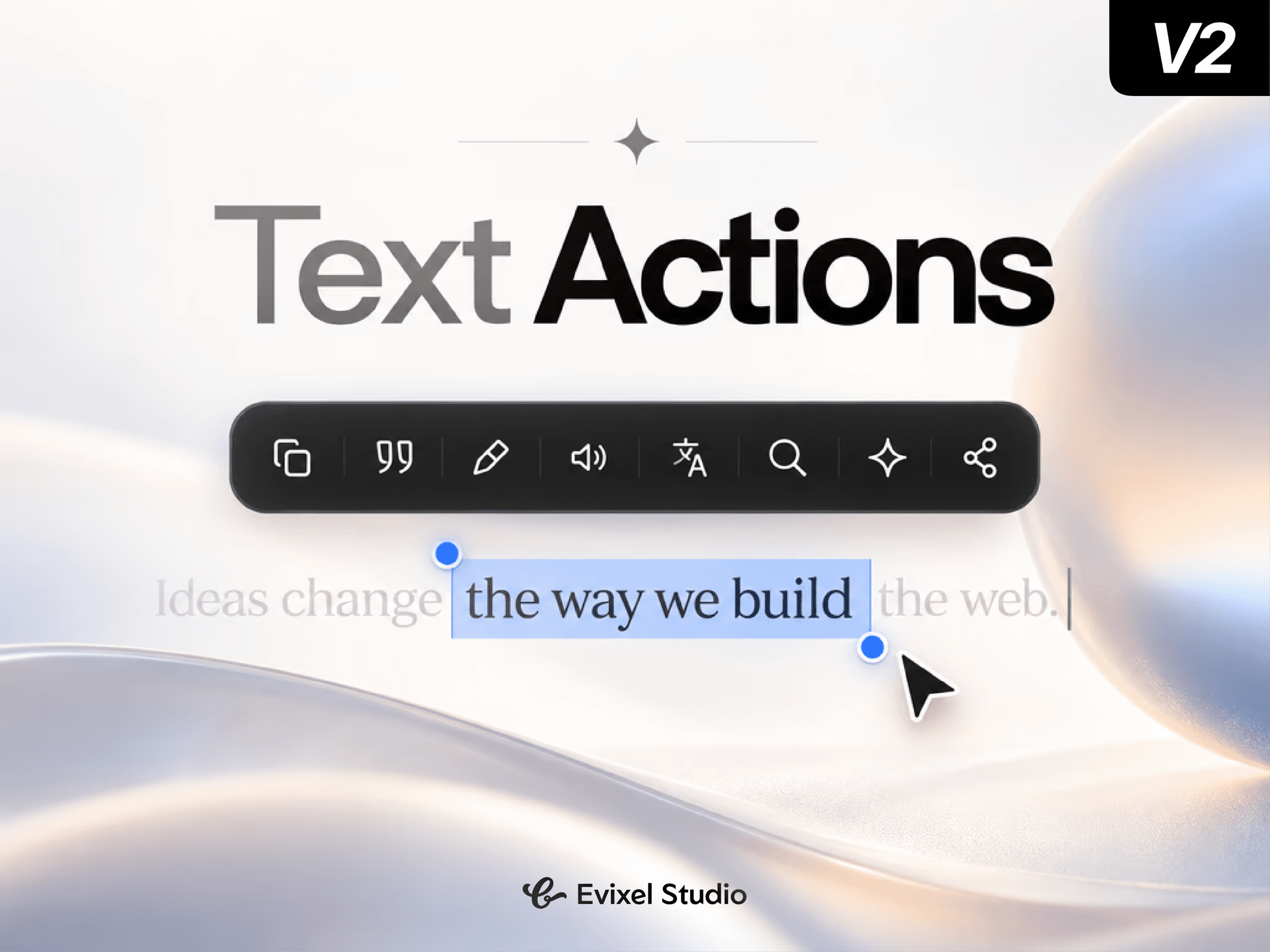
Bring a Medium and Notion-style interactive reading experience to your site. When visitors highlight text, a floating frosted-glass toolbar instantly appears with tools to copy quotes, read aloud, translate, ask AI assistants, or share quotes directly to social platforms.
Key Features
8 Built-in Action Tools: Copy plain text, copy as Markdown quote, native CSS highlighter, Text-to-Speech (read aloud), Google search, AI assistant search, translation, and social sharing.
AI & Translation Hub: Direct one-click prompt routing into ChatGPT, Claude, Perplexity, Grok, Mistral, Google Translate, and Bing.
Instant Social Sharing: Share selected excerpts directly to X (Twitter), WhatsApp, Telegram, or copy the page link. Supports native mobile device sharing via Web Share API.
Smart Viewport Positioning: Automatically tracks selection bounding rects and flips beneath text when close to the top viewport edge.
Global or Scoped Activation: Run across the entire page or restrict trigger bounds strictly to your blog post or article parent container.
Mobile & Touch Friendly: Customizable mobile touch modes with options to disable default iOS callouts and show custom floating action bars.
Property Controls
Behavior: Set activation scope (Global vs. Parent Layer), mobile display mode (Custom, System, or Both), and dismiss-on-scroll toggle.
Actions: Pick, reorder, or disable any of the 8 available action buttons.
Appearance: Customize backdrop blur, background colors, icon/text colors, hover states, selection highlight marker tint, corner radius, and drop shadow.
Quick Start Guide
Drop the component anywhere onto your page (or inside a blog post container).
Choose your scope: Global for full-page activation or Parent Layer for article containers.
Select and arrange your active tools in the Actions list.
Publish or preview, and highlight any text on your site to see it in action!