About Paper Flipbook
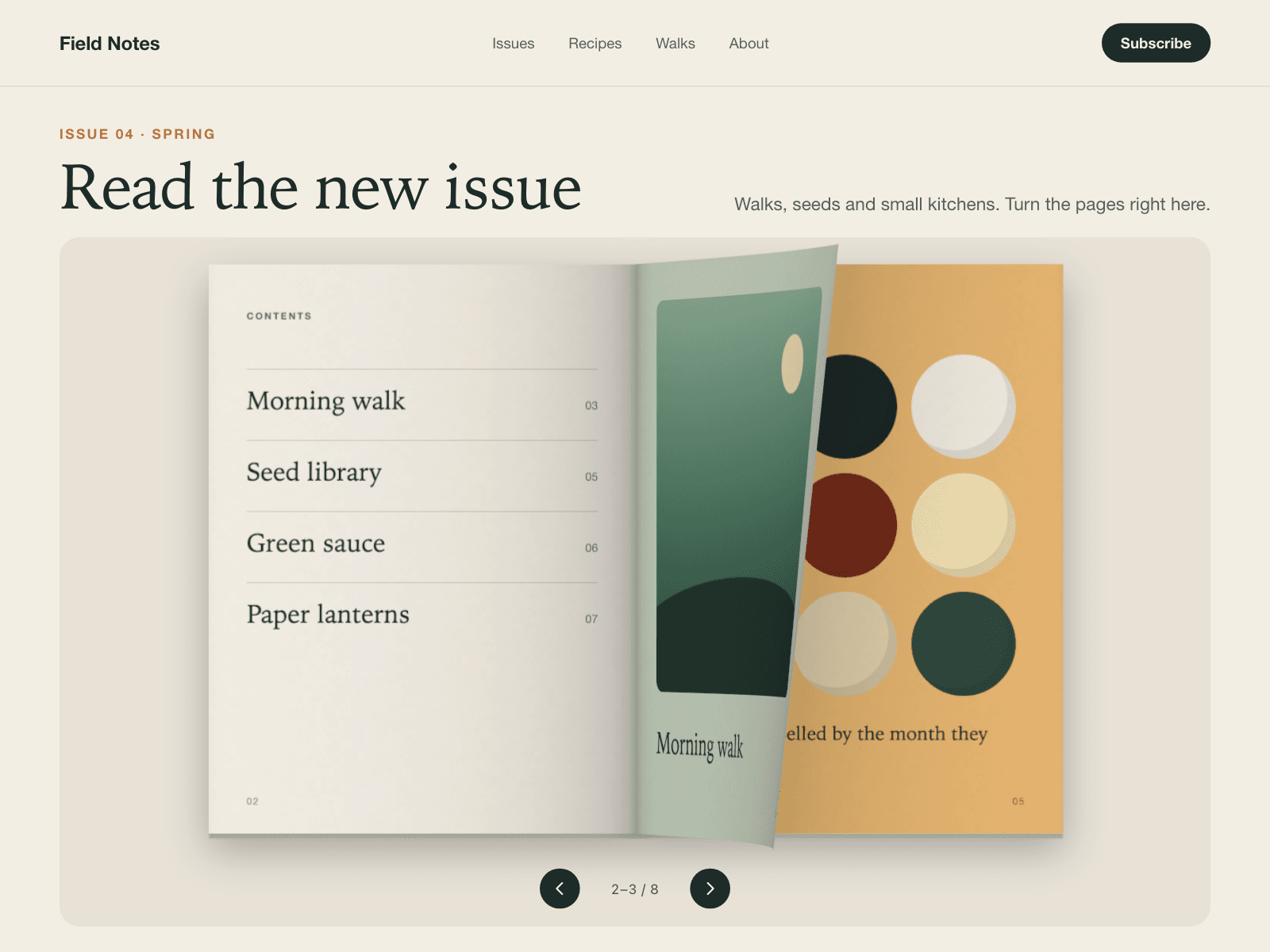
Paper Flipbook turns your images into a book you page through: each page bends as it turns, with shading along the fold, a soft spine shadow and a shadow cast on the page underneath.
Turn pages by dragging a page, clicking or tapping either half, using the arrow buttons, or with the keyboard once the book has focus; add one image per page, cover first, or leave the list empty to show twelve built-in demo pages.
It draws frames only while a page is moving and stops when scrolled off screen; the Framer canvas and browsers without WebGL show the same spread as a static layout, reduced motion changes pages instantly, and a polite live region announces the pages in view.
A dragged page stays under your pointer and, on release, completes the turn or falls back depending on how far and how fast you moved it; with a mouse, hovering near the outer edge lifts the page slightly.
Keyboard: Left/Right arrows and Page Up/Page Down turn pages, Home goes to the cover and End to the last page.
Hard cover keeps the front cover rigid (and the back cover when the page count is even); a closed cover sits centred.
Optional autoplay turns a page every few seconds, reverses at either end, and pauses on hover, on focus and while off screen.
What you control
Pages (one image each, up to 200, cover first), page ratio (3:4, 2:3, 4:5, A4, 1:1, 4:3, 3:2), start page, hard cover
Curl, paper thickness and shadow strength (0–1 each)
Background and accent colours
Autoplay and interval (1–30 s), arrow buttons, page number counter, drag to turn, accessible label
Limits: it always shows a two-page spread (no single-page mode at narrow widths), pages are images only, and image hosts must allow cross-origin loading for the 3D pages (images uploaded to Framer do).