About Heading Links
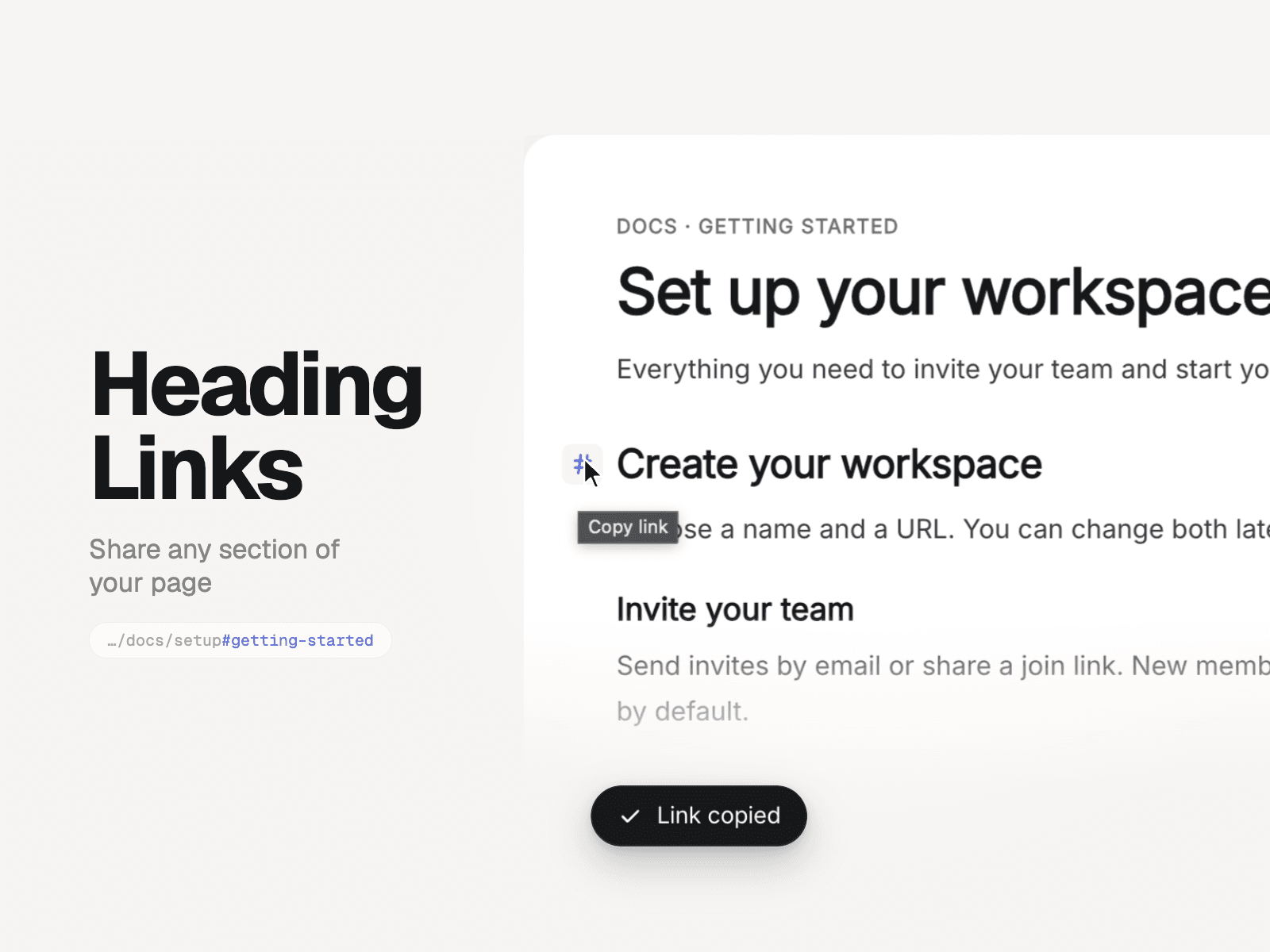
Share any section, not just the page. Heading Links adds a small copy-link button to every heading on your page, including CMS Rich Text. Readers click it and get a link that opens right at that section. Perfect for docs, long articles and FAQs that people want to quote.
What it does
Finds H2 and H3 headings (or any levels you choose) on the page or in one section
Shows a #, link or ¶ button on hover, or always
Copies a deep link and shows a "Link copied" toast
Gives headings without an ID a clean one ("pricing-plans"), so links work everywhere
Keeps space above the heading for sticky navbars
Editable
Heading levels, scan area (page or one section)
Icon, position (left margin or after the text), show on hover or always, size, gap, colors
Toast text, position, colors, radius
Update the address bar, scroll on click, scroll offset
Great for Docs, help centers, changelogs, long-form blogs, legal pages, FAQs.
How to use
Drop Heading Links anywhere on your page (or CMS page). It takes no space on the live site.
Pick the heading levels in the right panel.
Publish. Hover a heading and click the #.