About Glossary Tooltips
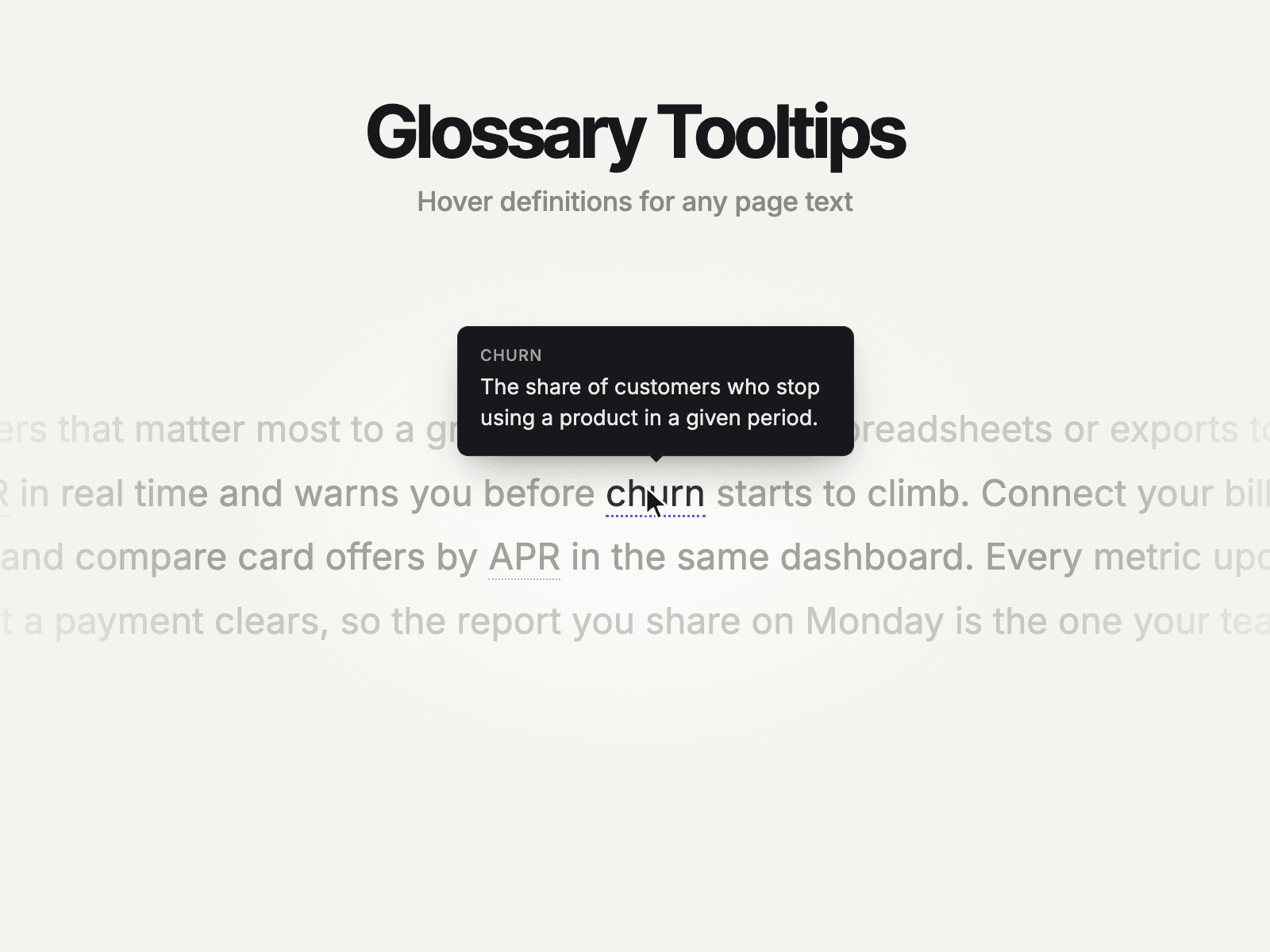
Explain jargon without leaving the sentence. Add your terms and definitions once. Glossary Tooltips finds those words in your page text, including CMS Rich Text on blog and docs pages, and gives each one a clean definition tooltip.
Interactive
Hover on desktop, tap on mobile, keyboard focus + Escape
Tooltips flip and stay inside the screen
Optional "Learn more" link per term
Editable
Terms, extra spellings (plurals, full names), definitions, links
Mark the first mention only, or every mention
Scan the whole page or a single section
Dotted, dashed or solid underline in the text's own color, accent color on hover
Tooltip theme (Dark, Light, Auto), radius, width, shadow and font
Great for Fintech and SaaS pages, docs, help centers, course and blog articles.
How to use
Drop Glossary Tooltips anywhere on your page. It takes no space on the live site.
Add your terms and definitions in the right panel.
Preview or publish. Matching words in your text get tooltips.
Preview page setup
3 example setups:
Fintech article (dark tooltip, dotted indigo underline, first mention only)
SaaS docs page on a dark background (light tooltip, solid underline, green accent, "Learn more" links)
Course/blog post in CMS (serif font, dashed warm underline, every mention, scoped to the article section)
Stock media needed (no faces, no logos): none required. Optional abstract gradient or paper texture for the hero.