About Aisol Dossier
Use it with CMS in three steps: 1. Drop a Collection List into Cards (CMS) and turn off its Pagination. 2. Every item becomes a card in the folder, up to five, fanning out when the folder opens. 3. Name the layers inside the item Title, Body and Image; the folder puts the image on top, styles the title and note, and reads the title for screen readers.
The folder shows copies of your CMS items. Links inside an item still work, but Framer hover and press effects and interactive components inside an item do not run in the folder. A Load more button is not shown.
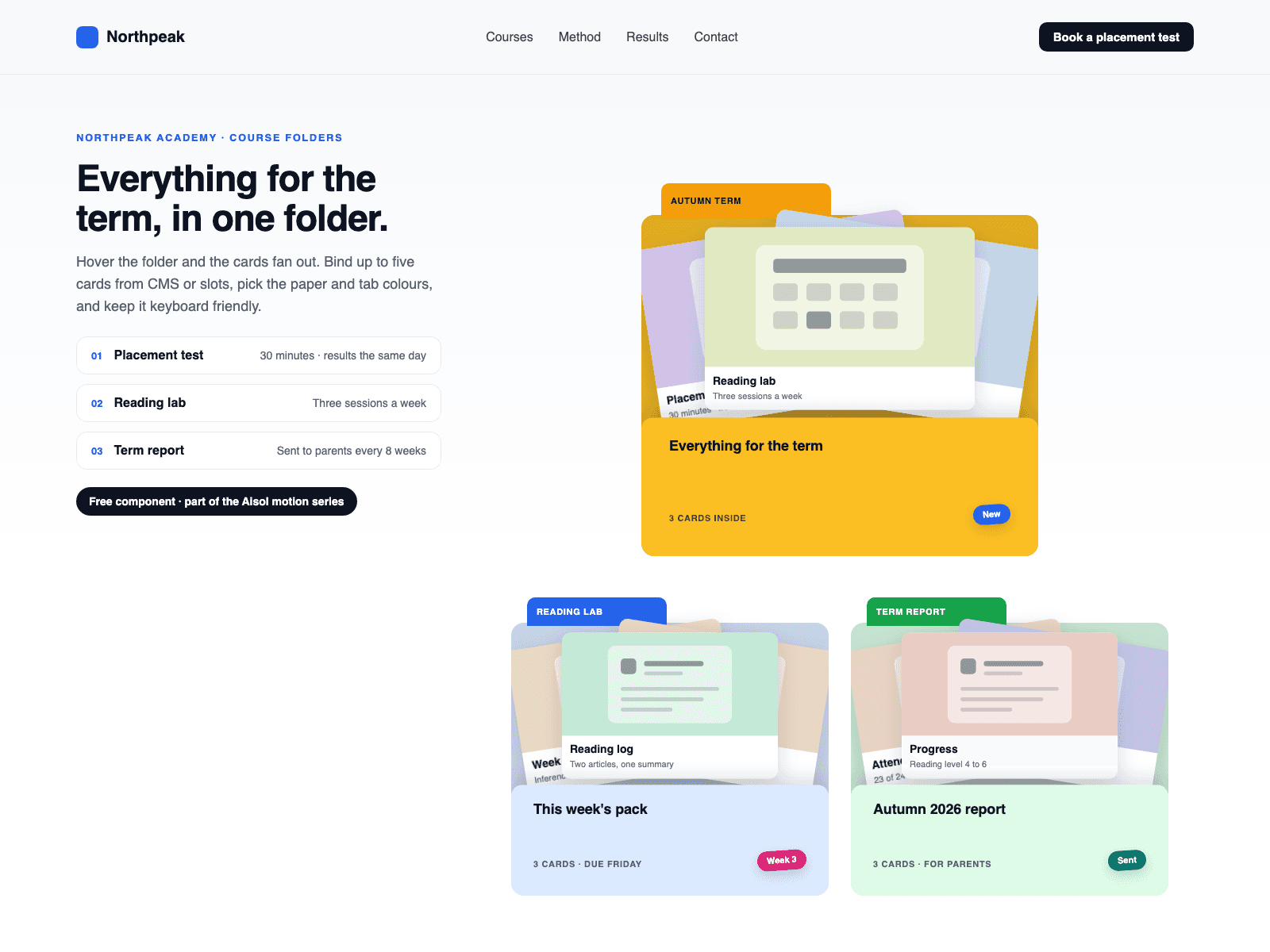
Aisol Dossier is a folder that opens on hover, focus or click and fans out the cards inside, each with an image, a note and a link.
Key features
- Real CMS cards. Each Collection List item becomes a card (first five), and the folder updates when the list changes.
- Turn off Style CMS Layers to keep your own card design.
- Enter or Space opens the folder, Escape closes it. Closed cards leave the tab order.
- Hand-made cards without an image get a drawn poster.
- Reduced motion: the folder opens without the transition.
What you control
- Cards (CMS) slot, or hand-made Cards with title, note, image, alt text and link
- Tab label, sticker, pocket title and meta, hover or click, start open
- Spread, lift, radius and max width
- Labels, empty text, font, text size and six colours
The canvas shows the folder open with the Collection List as you built it; the fan of CMS cards runs in Preview and on the site.