About Aisol Countdown
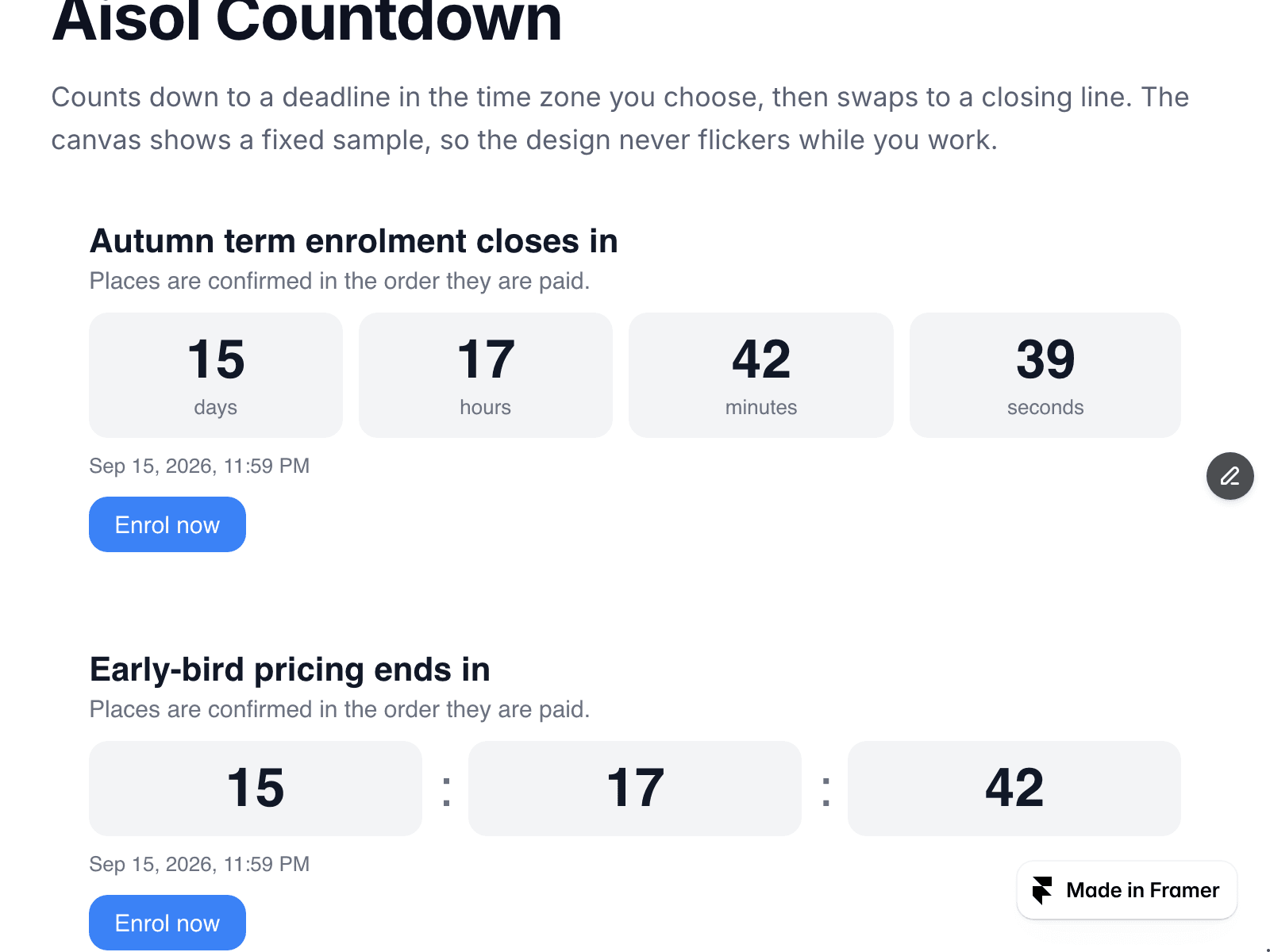
Aisol Countdown counts down to a deadline in the time zone you choose, then swaps to a closing line.
Leave Deadline empty and the live site previews a 14-day countdown from when the page opens, so a fresh instance never starts in the closed state. Type a deadline like 2026-12-31 18:00 and set Time zone to an IANA name such as Asia/Seoul: every visitor counts down to the same moment. Leave Time zone empty to use each visitor's own browser time. An ISO string with an offset (+09:00) is used as is.
If the time zone name is not recognised, the canvas shows a small note and the live site quietly falls back to browser time. If the deadline has already passed, the canvas says so and shows which closing line visitors will see.
- Units: days/hours/minutes/seconds, D H M, H M S, or Auto (D H M, then H M S inside the last day).
- After the deadline: the closing line, or hide the whole component. Never shows negative numbers.
- Button: Link control (or a legacy URL text field). Button text turns dark on light accent colours.
- Screen readers hear a polite minute-level sentence, not a number every second.
- The deadline is written in a time element with a machine-readable date.
- The clock pauses while the browser tab is hidden and catches up when it returns.
- Reduced motion: no transitions.
- The canvas shows a fixed sample with no timers running.
- Two rows below a width you set.
- Nothing outside its own frame is read or changed.