Interactive Shaders just landed in Framer.
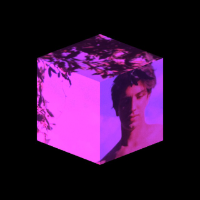
First drop: Ripple, a shader that brings fluid-like motion to your images, with ripples that react to and follow your cursor. Featuring spring-based tracking for smooth, natural movement.
Interactive Shaders just landed in Framer.
First drop: Ripple, a shader that brings fluid-like motion to your images, with ripples that react to and follow your cursor. Featuring spring-based tracking for smooth, natural movement.
Last week Framer 3.0 was released 🚀, the biggest update the platform has shipped in years. AI Agents now live right on the canvas, so you can ask them to design pages, wire up the CMS, build components, add effects and write code without leaving your project.
So now I can finally talk about what we prototyped during the hackathon: agents interacting with Framer shaders. In the attached video I asked the agent to build a portfolio for my shader work. Once it laid out the structure and a first iteration, it read the actual shader, understood the current setup, and came back with multiple-choice questions: which palette to use, how the gradient should move, how strongly the letters and background should interact.
The agent never touched GLSL. It didn't generate new shader code for me to read through and audit for performance. It designed using the controls I'd already exposed while building the shaders, with the same optimized code running underneath. I get fast iteration on the look with zero risk to how the shader performs. And /ask-me flips the usual flow: the agent interviews me about what I want before it commits to anything.
This opens up a different way of designing in Framer. Setup work that used to eat hours now takes minutes, which leaves far more room for the creative, experimental side of the work. Branching makes that even safer: spin up a separate branch, try the wild ideas with no fear of breaking the live project, and once something is polished you commit it back to main.
Curious what you'd build with it👇
Interactive Shaders just landed in Framer.
First drop: Ripple, a shader that brings fluid-like motion to your images, with ripples that react to and follow your cursor. Featuring spring-based tracking for smooth, natural movement.
Last week Framer 3.0 was released 🚀, the biggest update the platform has shipped in years. AI Agents now live right on the canvas, so you can ask them to design pages, wire up the CMS, build components, add effects and write code without leaving your project.
So now I can finally talk about what we prototyped during the hackathon: agents interacting with Framer shaders. In the attached video I asked the agent to build a portfolio for my shader work. Once it laid out the structure and a first iteration, it read the actual shader, understood the current setup, and came back with multiple-choice questions: which palette to use, how the gradient should move, how strongly the letters and background should interact.
The agent never touched GLSL. It didn't generate new shader code for me to read through and audit for performance. It designed using the controls I'd already exposed while building the shaders, with the same optimized code running underneath. I get fast iteration on the look with zero risk to how the shader performs. And /ask-me flips the usual flow: the agent interviews me about what I want before it commits to anything.
This opens up a different way of designing in Framer. Setup work that used to eat hours now takes minutes, which leaves far more room for the creative, experimental side of the work. Branching makes that even safer: spin up a separate branch, try the wild ideas with no fear of breaking the live project, and once something is polished you commit it back to main.
Curious what you'd build with it👇
Interactive Shaders just landed in Framer.
First drop: Ripple, a shader that brings fluid-like motion to your images, with ripples that react to and follow your cursor. Featuring spring-based tracking for smooth, natural movement.
Last week Framer 3.0 was released 🚀, the biggest update the platform has shipped in years. AI Agents now live right on the canvas, so you can ask them to design pages, wire up the CMS, build components, add effects and write code without leaving your project.
So now I can finally talk about what we prototyped during the hackathon: agents interacting with Framer shaders. In the attached video I asked the agent to build a portfolio for my shader work. Once it laid out the structure and a first iteration, it read the actual shader, understood the current setup, and came back with multiple-choice questions: which palette to use, how the gradient should move, how strongly the letters and background should interact.
The agent never touched GLSL. It didn't generate new shader code for me to read through and audit for performance. It designed using the controls I'd already exposed while building the shaders, with the same optimized code running underneath. I get fast iteration on the look with zero risk to how the shader performs. And /ask-me flips the usual flow: the agent interviews me about what I want before it commits to anything.
This opens up a different way of designing in Framer. Setup work that used to eat hours now takes minutes, which leaves far more room for the creative, experimental side of the work. Branching makes that even safer: spin up a separate branch, try the wild ideas with no fear of breaking the live project, and once something is polished you commit it back to main.
Curious what you'd build with it👇