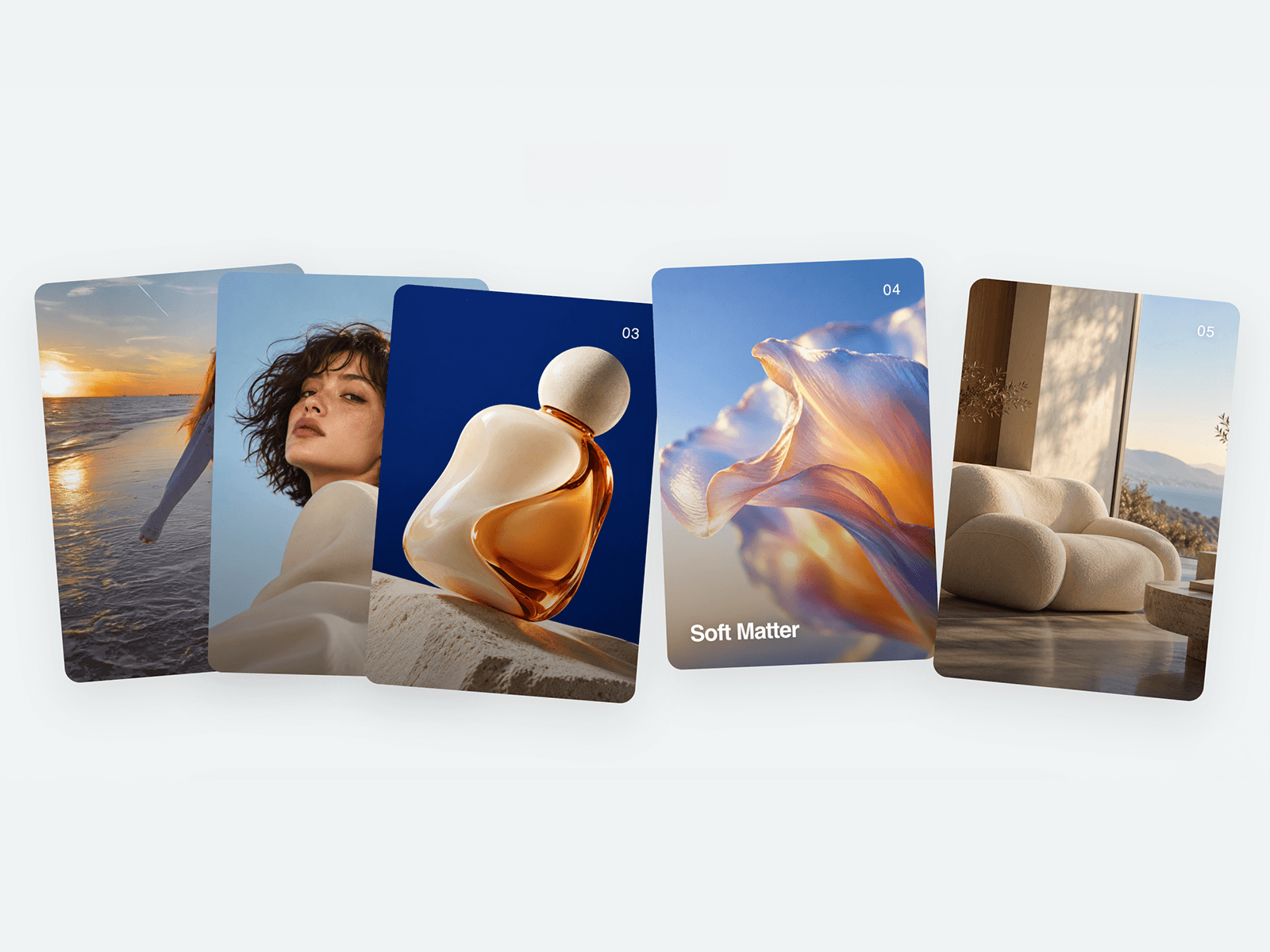
Deckshift
Interactive stacked cards with spring movement, dynamic tilt and responsive behaviour.
Use it for projects, galleries, services or features.


15+ yrs in design & visual dev. Building polished Framer components with purposeful interaction for real-world use.
Deckshift
Interactive stacked cards with spring movement, dynamic tilt and responsive behaviour.
Use it for projects, galleries, services or features.
AI-assisted building is making it incredibly easy to add more.
More sections. More interactions. More motion. More variations.
But more output doesn't fix weak hierarchy.
When the typography, spacing and structure are doing their job, a design rarely needs that much decoration to hold attention.
The faster we can make things, the more important it becomes to know what to leave out.
Expanded the Magnetic Glow Button setup into a dark-canvas hero kit.
Meet Lumina Hero.
Get the component → https://framer.link/yvE3jpB
Built around an interactive 3D WebGL liquid orb and pointer-reactive physics, designed to drop cleanly into any stack.
No component diving. Paste it into your project, adjust your properties, and elevate your page.
See the Magnetic Glow Button in action on a dark-canvas build.
Get the component -> https://framer.link/RS6zJc9
Built to integrate:
· Drop into any Stack or Grid
· Pre-set gradient stops preserves contrast on dark backgrounds
· Label, Fill, Link, and New Tab configurable in seconds via the properties panel
Magnetic Glow Button — Precision Spring Physics & 1px Chrono System
---
Most buttons feel either too static or unnaturally bouncy. While working on a dark-mode interface, I wanted a CTA that felt magnetic under the cursor—subtle, weighted, and precise.
So I built this Magnetic Glow Button component.
What's inside:
3 Native Variants: Primary Glow, Secondary Ghost, and Icon Badge.
Spring Physics: Tuned with natural stiffness and damping so hover states feel snappy rather than floaty.
1px Chrono Borders: Crafted with subtle gradient stops for seamless integration into dark canvas environments.
Exposed Controls: Easily customizable label, fill, and link via the Framer properties panel.
Live Preview:
https://outstanding-weekend-959170.framer.app/
Dropping soon on Framer Marketplace. I'd love for you to test the hover state—how does the spring resistance feel on your display?
15+ yrs in design & visual dev. Building polished Framer components with purposeful interaction for real-world use.
Deckshift
Interactive stacked cards with spring movement, dynamic tilt and responsive behaviour.
Use it for projects, galleries, services or features.
AI-assisted building is making it incredibly easy to add more.
More sections. More interactions. More motion. More variations.
But more output doesn't fix weak hierarchy.
When the typography, spacing and structure are doing their job, a design rarely needs that much decoration to hold attention.
The faster we can make things, the more important it becomes to know what to leave out.
Expanded the Magnetic Glow Button setup into a dark-canvas hero kit.
Meet Lumina Hero.
Get the component → https://framer.link/yvE3jpB
Built around an interactive 3D WebGL liquid orb and pointer-reactive physics, designed to drop cleanly into any stack.
No component diving. Paste it into your project, adjust your properties, and elevate your page.
See the Magnetic Glow Button in action on a dark-canvas build.
Get the component -> https://framer.link/RS6zJc9
Built to integrate:
· Drop into any Stack or Grid
· Pre-set gradient stops preserves contrast on dark backgrounds
· Label, Fill, Link, and New Tab configurable in seconds via the properties panel
Magnetic Glow Button — Precision Spring Physics & 1px Chrono System
---
Most buttons feel either too static or unnaturally bouncy. While working on a dark-mode interface, I wanted a CTA that felt magnetic under the cursor—subtle, weighted, and precise.
So I built this Magnetic Glow Button component.
What's inside:
3 Native Variants: Primary Glow, Secondary Ghost, and Icon Badge.
Spring Physics: Tuned with natural stiffness and damping so hover states feel snappy rather than floaty.
1px Chrono Borders: Crafted with subtle gradient stops for seamless integration into dark canvas environments.
Exposed Controls: Easily customizable label, fill, and link via the Framer properties panel.
Live Preview:
https://outstanding-weekend-959170.framer.app/
Dropping soon on Framer Marketplace. I'd love for you to test the hover state—how does the spring resistance feel on your display?
Deckshift
Interactive stacked cards with spring movement, dynamic tilt and responsive behaviour.
Use it for projects, galleries, services or features.
AI-assisted building is making it incredibly easy to add more.
More sections. More interactions. More motion. More variations.
But more output doesn't fix weak hierarchy.
When the typography, spacing and structure are doing their job, a design rarely needs that much decoration to hold attention.
The faster we can make things, the more important it becomes to know what to leave out.
Expanded the Magnetic Glow Button setup into a dark-canvas hero kit.
Meet Lumina Hero.
Get the component → https://framer.link/yvE3jpB
Built around an interactive 3D WebGL liquid orb and pointer-reactive physics, designed to drop cleanly into any stack.
No component diving. Paste it into your project, adjust your properties, and elevate your page.
See the Magnetic Glow Button in action on a dark-canvas build.
Get the component -> https://framer.link/RS6zJc9
Built to integrate:
· Drop into any Stack or Grid
· Pre-set gradient stops preserves contrast on dark backgrounds
· Label, Fill, Link, and New Tab configurable in seconds via the properties panel
Magnetic Glow Button — Precision Spring Physics & 1px Chrono System
---
Most buttons feel either too static or unnaturally bouncy. While working on a dark-mode interface, I wanted a CTA that felt magnetic under the cursor—subtle, weighted, and precise.
So I built this Magnetic Glow Button component.
What's inside:
3 Native Variants: Primary Glow, Secondary Ghost, and Icon Badge.
Spring Physics: Tuned with natural stiffness and damping so hover states feel snappy rather than floaty.
1px Chrono Borders: Crafted with subtle gradient stops for seamless integration into dark canvas environments.
Exposed Controls: Easily customizable label, fill, and link via the Framer properties panel.
Live Preview:
https://outstanding-weekend-959170.framer.app/
Dropping soon on Framer Marketplace. I'd love for you to test the hover state—how does the spring resistance feel on your display?