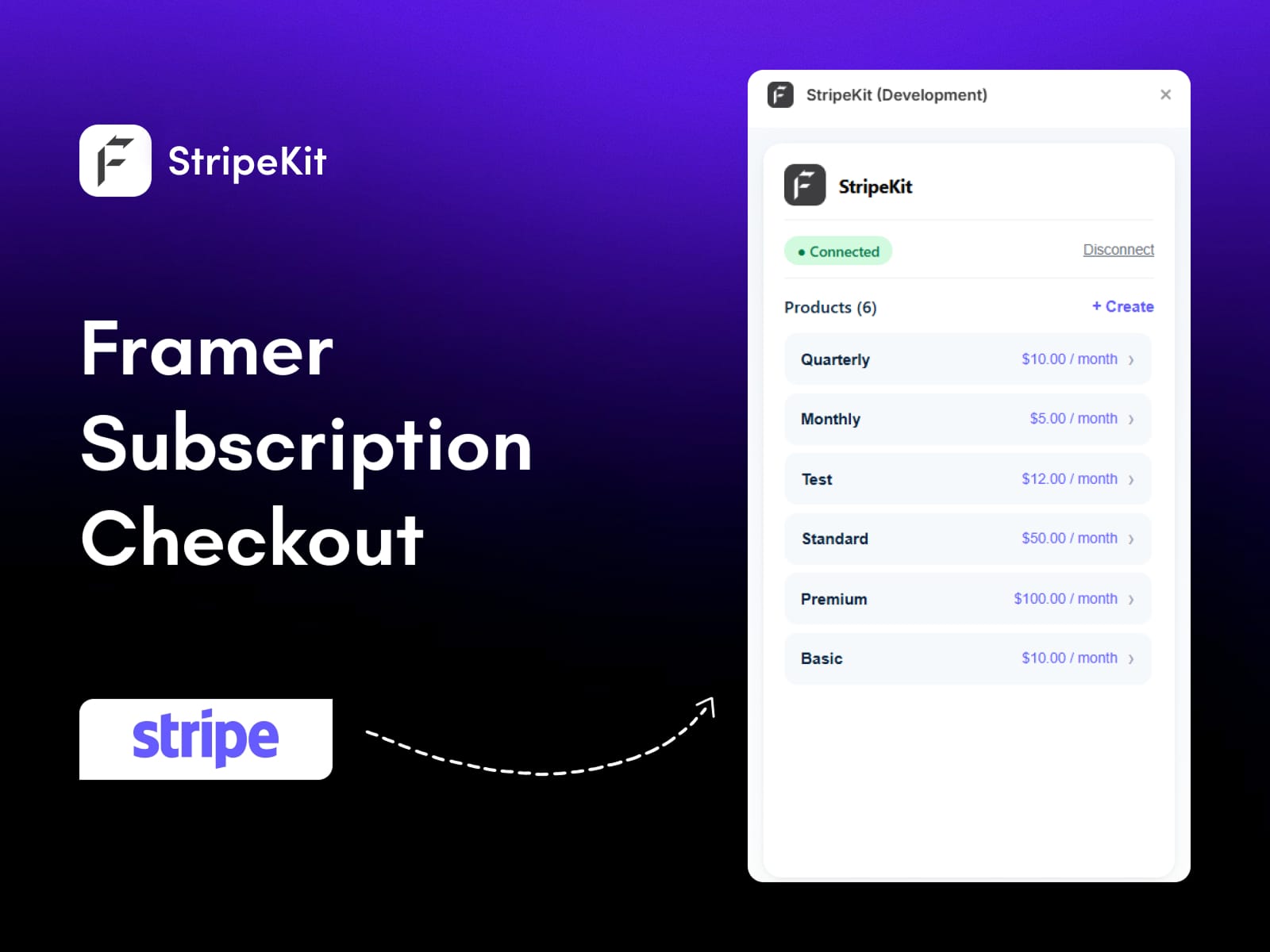
StripeKit is a Framer plugin that connects your Stripe account and turns your real Stripe products into drag-and-drop checkout components you can drop straight onto the canvas. Instead of manually copying payment links, building embeds, or wiring up a backend, you connect Stripe once, and your whole product catalog shows up inside Framer - prices, billing intervals, product details, and all.
Most people hit the same wall with Framer: it's a beautiful design tool, but it has no native Stripe integration and no real ecommerce built in. So you end up bouncing between the Stripe dashboard, copy-pasting checkout URLs, and gluing them onto buttons by hand. StripeKit closes that gap. It's the Framer Stripe integration that takes you from "I have products in Stripe" to "my site can take payments" without leaving the canvas.
Every element you drop is a real, editable Framer component - not a screenshot, not a locked embed. So you keep full design control while the Stripe checkout stays connected underneath.
Framer is one of the fastest-growing no-code website builders, but ecommerce has always been its weak spot. There's no native Stripe connection, no product sync, and no checkout flow out of the box. If you want to actually sell something, you have to bring that capability yourself. Here's why StripeKit is genuinely useful for creators, SaaS founders, and agencies building on Framer:
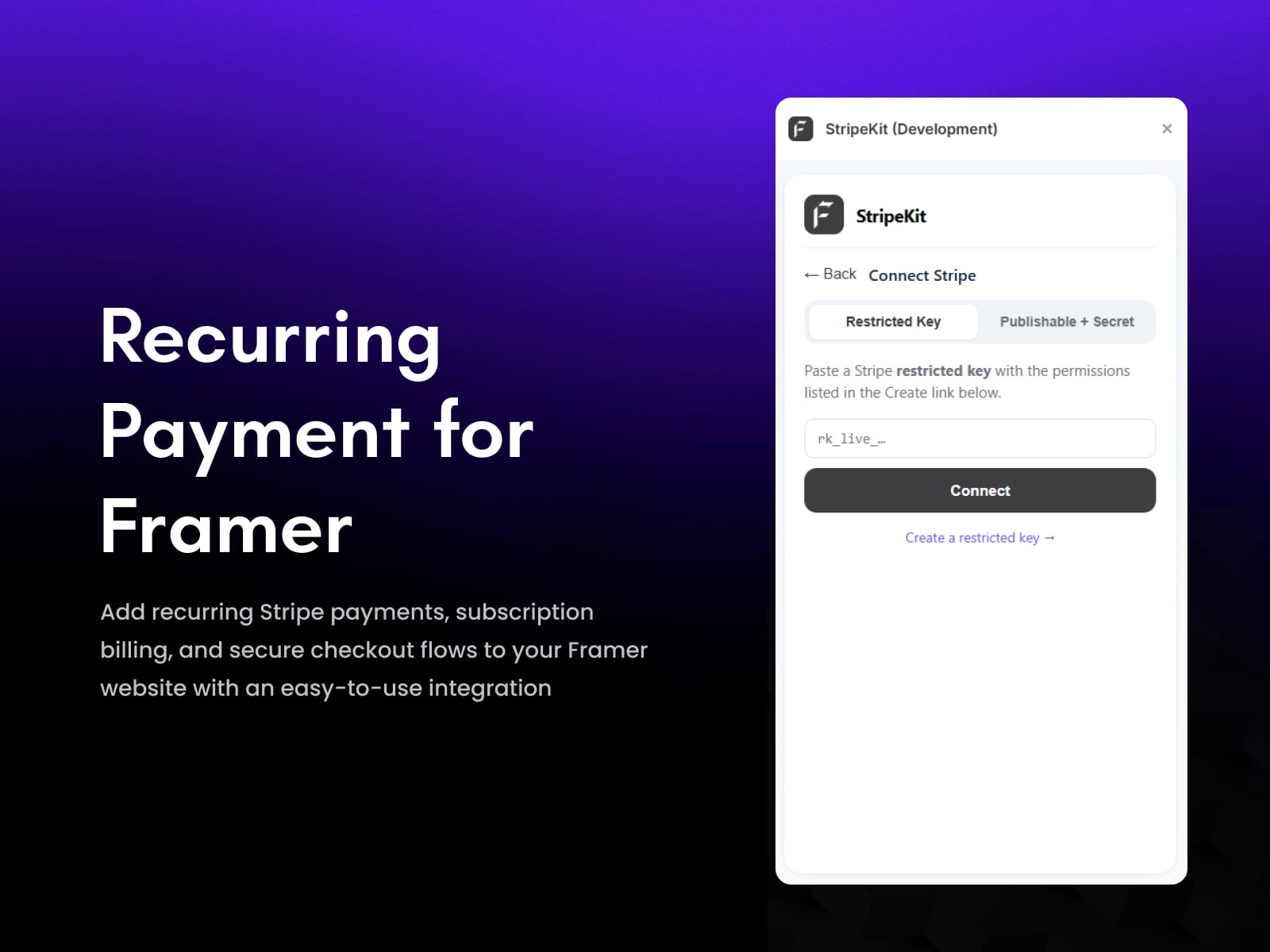
It connects to your real Stripe account. Add a restricted API key (rk_…) - or publishable + secret keys - and your live product catalog loads instantly, with prices and billing intervals already mapped. No re-typing product data, no spreadsheets.
Drag-and-drop checkout, not manual setup. Pull any product onto the canvas as a Buy Now button, and the Stripe checkout URL is wired in automatically. What used to be a copy-paste chore becomes a single drag.
Payment Links generated for you. StripeKit creates Stripe Payment Links on demand from inside the plugin and caches them, so repeat workflows are fast, and you're never digging through the Stripe dashboard.
Create products without leaving Framer. Need a new product? Make it directly in the plugin, and it's pushed to Stripe - no tab-switching.
Real components, full design freedom. Every dropped button is a native Framer component with property controls for labels, colors, radius, spacing, and branding. It looks like your site, not like a bolted-on widget.
No backend, no OAuth, no code. There's nothing to host and nothing to maintain. If you can drag a layer in Framer, you can take payments.
If you're serious about selling on your Framer site, this is the Framer ecommerce plugin that turns checkout from a headache into a drag-and-drop step.
StripeKit gets you from zero to a working checkout in three steps:
Step 1 Connect Stripe. Open your Framer project, go to Plugins → StripeKit, and paste in a restricted API key (rk_…) or your publishable + secret keys. The plugin validates the key live, so you know immediately that the connection is good.
Step 2 Sync and drag. Your Stripe products appear inside the plugin automatically - prices, intervals, and details included. Drag any product onto the canvas and it becomes a fully editable Buy Now button with the Stripe checkout link already attached. Need something that doesn't exist yet? Create the product right there and StripeKit generates the Payment Link for you.
Step 3 Style and ship. Use the component's property controls to match your brand - labels, colors, corner radius, spacing - then publish. The checkout works the moment your site goes live.
Stripe ConnectionConnect using a restricted API key (rk_…) or publishable + secret keys, with live validation so you catch a bad key before you start building. No OAuth flow, no backend to configure.
Instant Product SyncYour Stripe catalog loads straight into the plugin - product names, prices, and billing intervals all pulled in automatically and kept organized.
Drag-and-Drop Buy Now ButtonsDrop any product onto the Framer canvas as a real checkout button with the Stripe URL wired in. No manual linking, no embeds.
Auto-Generated Stripe Payment LinksStripeKit creates Stripe Payment Links on demand from inside the plugin and caches them for faster repeat workflows.
Create Stripe Products in FramerSpin up new Stripe products directly from the plugin without opening the Stripe dashboard.
Fully Editable ComponentsEvery dropped element is a native Framer component with property controls - customize labels, colors, radius, spacing, and branding to fit your design exactly.
Fast Setup Live Stripe validation and instant sync mean you're building payment-ready pages in minutes, not hours.
Build payment-ready Framer websites in minutes
Turn Stripe products into reusable, on-brand Framer components
Skip manual checkout setup and Payment Link juggling
Keep your Stripe catalog connected and organized inside Framer
Launch Stripe Checkout flows without a backend or OAuth
Does Framer have a native Stripe integration? Not really. Framer doesn't ship with a built-in Stripe connection or product sync, which is exactly the gap StripeKit fills. It gives you a proper Framer Stripe integration - connect your account, sync products, and drop checkout buttons - without any native support required.
How do I add Stripe checkout to a Framer site? Install StripeKit, connect your Stripe account with a restricted API key, and drag any synced product onto the canvas. The plugin attaches the Stripe checkout URL automatically, so the button is ready to take payments as soon as you publish.
Is StripeKit free to use? Yes. StripeKit is free. You'll need your own Stripe account (Stripe charges its standard per-transaction fees), but there's no subscription for the plugin itself.
Do I need a backend or OAuth setup? No. StripeKit connects with a restricted API key and handles everything inside the plugin. There's no server to host, no OAuth flow to configure, and no code to write.
Can I create new Stripe products from inside Framer?Yes. You can create products directly in the plugin, and they're added to your Stripe account, then generate Payment Links for them on the spot - no need to open the Stripe dashboard.
Are the Buy Now buttons editable, or are they locked embeds?They're fully editable native Framer components, not screenshots or fixed embeds. You control labels, colors, radius, spacing, and branding while the Stripe checkout stays connected.
Get Started
Install StripeKit from the Framer Marketplace, connect your Stripe account, and drag your first product onto the canvas. Whether you're a creator selling a single digital product or an agency shipping payment-ready sites for clients, StripeKit turns Stripe checkout in Framer into a simple drag-and-drop step.
Added dark theme support for the plugin interface.