About Say When
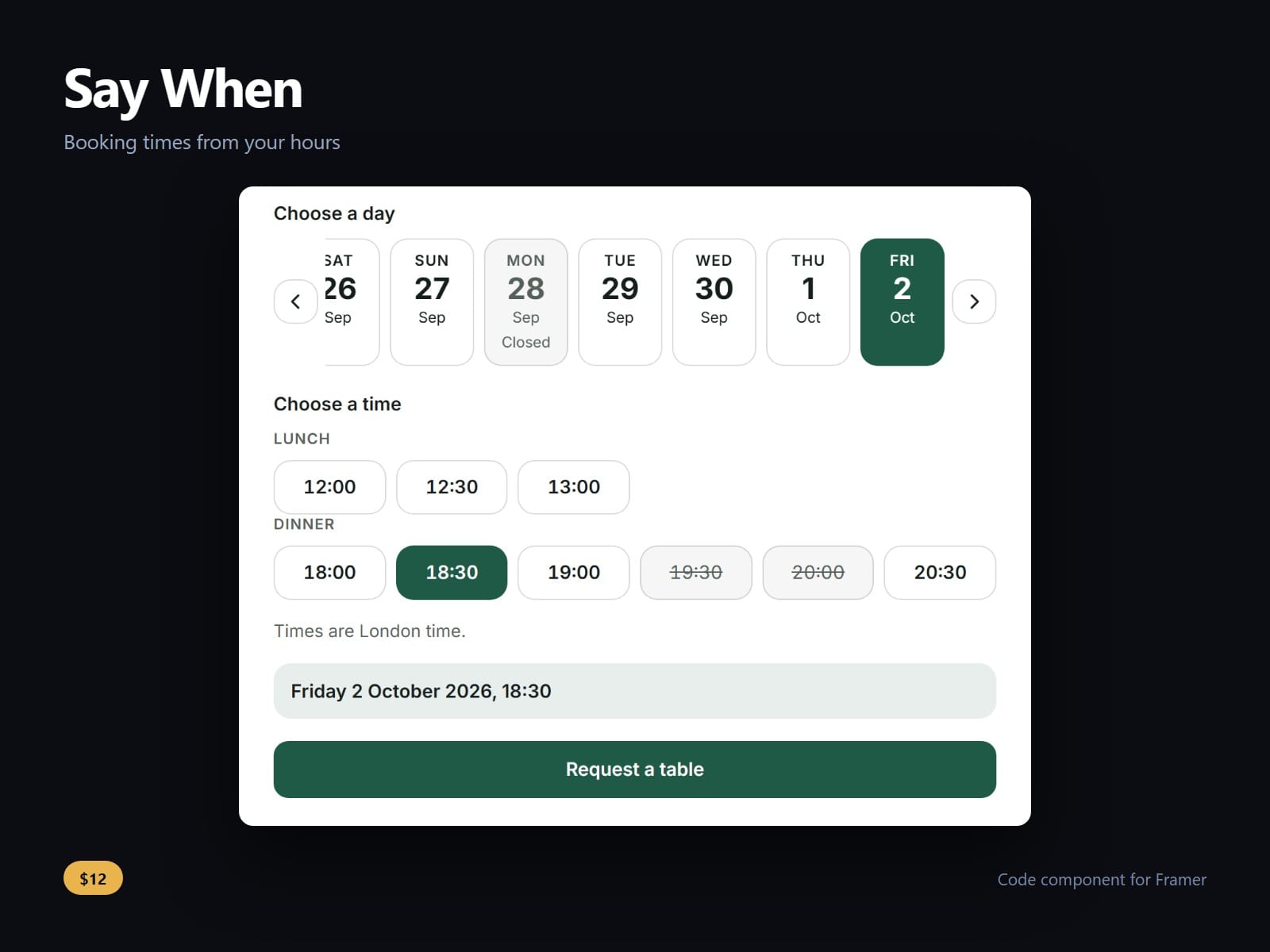
A date and time picker for Framer forms that knows your opening hours. Type them the way people write them, Tue - Sat 12:00 - 14:30, 18:00 - 22:00 or Sun closed, set your time zone once, and visitors can only pick a day and a time you are open.
Special days are typed too: 25 - 26 December 2026 closed, or 24 December 2026 12:00 - 15:00. So are times already taken, and a date alone fills a whole day. Set how long a booking lasts and the last time offered still ends by closing; set a notice, two hours or a day, and nothing sooner can be picked.
Days as a strip or a month. Times are grouped into morning, afternoon and evening, always in your time zone, and a visitor in another zone sees their own time beside yours.
Put it inside a Framer Form. The form sends the day, the time and the moment with its offset (2026-10-02T18:30:00+01:00) as ordinary fields, and will not send until a day and a time are chosen. Every day and time is a real radio button, so arrow keys, screen readers and the browser's own required check all work.
Field names, labels, fonts, a 12 or 24 hour clock, the week's first day and every colour are controls. A line it cannot read, or a weekday that does not match its date, is flagged on the canvas, never guessed.
After purchase you receive the component URL. In Framer, press Insert, choose Add Component URL, and paste it.
Licence: yours to use on your own sites and on client sites, commercially, with no attribution. Not for resale or redistribution: do not share the component URL, and do not publish the component or its code anywhere, paid or free. Full terms arrive with your purchase. Questions: me@majedesigns.dev