About Preview Tooltip
What is it?
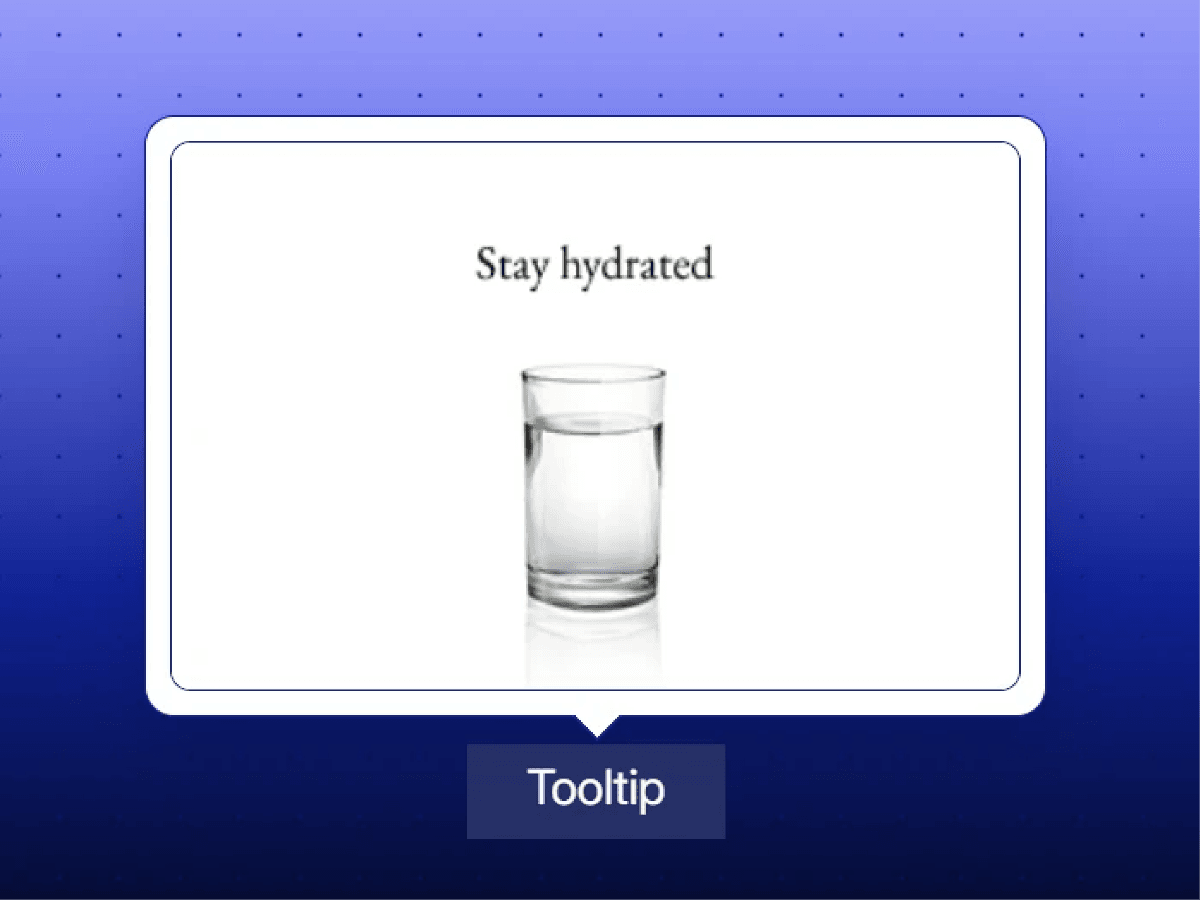
An interactive image tooltip that reveals a visual preview when you hover over a text trigger. Designed to add context and visual interest without cluttering your layout, it works seamlessly across desktop and touch devices.
Features
Image Preview on Hover: Reveal an image when hovering over the trigger text.
Touch-Friendly Interaction: Supports touch devices, with tooltips staying open until you tap outside.
Smooth Animations: Subtle fade, slide, and scale transitions.
Smart Positioning: Automatically positions the tooltip above or below the trigger to fit the viewport.
Customizable Appearance: Adjust tooltip width, height, background, border, padding, and corner radius.
Glass Effect: Enable a frosted-glass background with blur and transparency.
Customizable Trigger: Change the trigger text, font, size, and color.
Image Loading State: Displays a subtle animated loader while the image loads.
Responsive Positioning: Keeps the tooltip within the viewport and updates its position on scroll and resize.
Use Cases
Product Previews: Show product images when users hover over product names.
Portfolio Projects: Preview project thumbnails from links in your portfolio.
Team Profiles: Reveal profile photos when hovering over team members' names.
Image-Rich Articles: Add visual context to people, places, artwork, or other subjects mentioned in text.
Design Inspiration: Preview UI screens, mockups, or illustrations without leaving the page.
Feature Highlights: Show screenshots or visual examples alongside feature descriptions.
Interactive Text Links: Make important links more engaging with contextual image previews.
Questions or feedback?
Feel free to reach out via thezaidesign@gmail.com or connect with me on X https://x.com/zaidkarigar. I’m happy to help!