About Gravity Bubbles
Gravity Bubbles
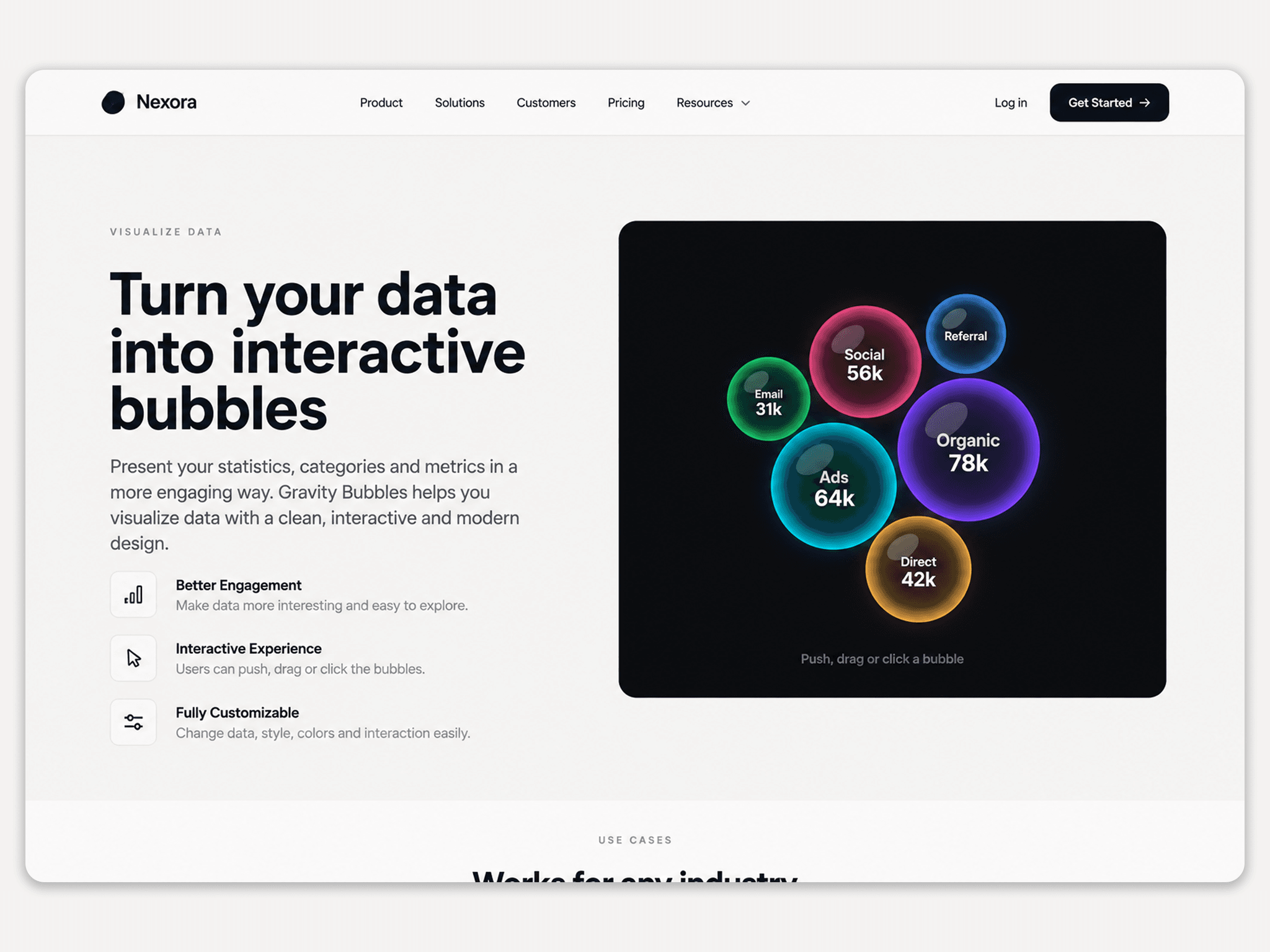
Gravity Bubbles is an interactive data visualization component for Framer that transforms your data into physics-based bubbles. Use it to showcase statistics, analytics, marketing data, metrics, categories, and more.
Customize the component directly from the Framer property panel, including data, colors, typography, bubble size, gravity, cursor interaction, bounce, glow, labels, values, and layout.
How to Use
1. Add the Component
Drag Gravity Bubbles onto your Framer canvas and place it inside your desired section or frame.
2. Add Your Data
Under Data, add your categories and values.
Example:
Organic — 78
Ads — 64
Social — 56
Direct — 42
Email — 31
Add, remove, or reorder items anytime.
3. Choose a Style
Select Glass or Solid to match your website's design.
4. Customize Content
Use Labels, Values, and Hint Text to control the information displayed. Use Prefix and Suffix to format numbers, such as $78k.
5. Customize Appearance
Adjust the Background, Text, and Font. Enable Glow for a more vibrant look.
6. Adjust Interaction
Fine-tune the experience with:
Bubble Size — Controls bubble size.
Center Pull — Controls how closely bubbles gather.
Cursor Push — Controls cursor interaction.
Bounce — Controls bubble movement.
Intro — Enables the entrance animation.
Touch Drag — Enables touch interaction.
7. Adjust Layout
Use Radius for rounded corners and Padding for spacing around the visualization.
8. Finalize Your Design
Experiment with the settings until the bubbles fit your layout and brand. Gravity Bubbles works well for dashboards, SaaS websites, portfolios, analytics, statistics, and marketing pages.
All settings can be customized directly from the Framer property panel.