About Bend Type
Bend Type
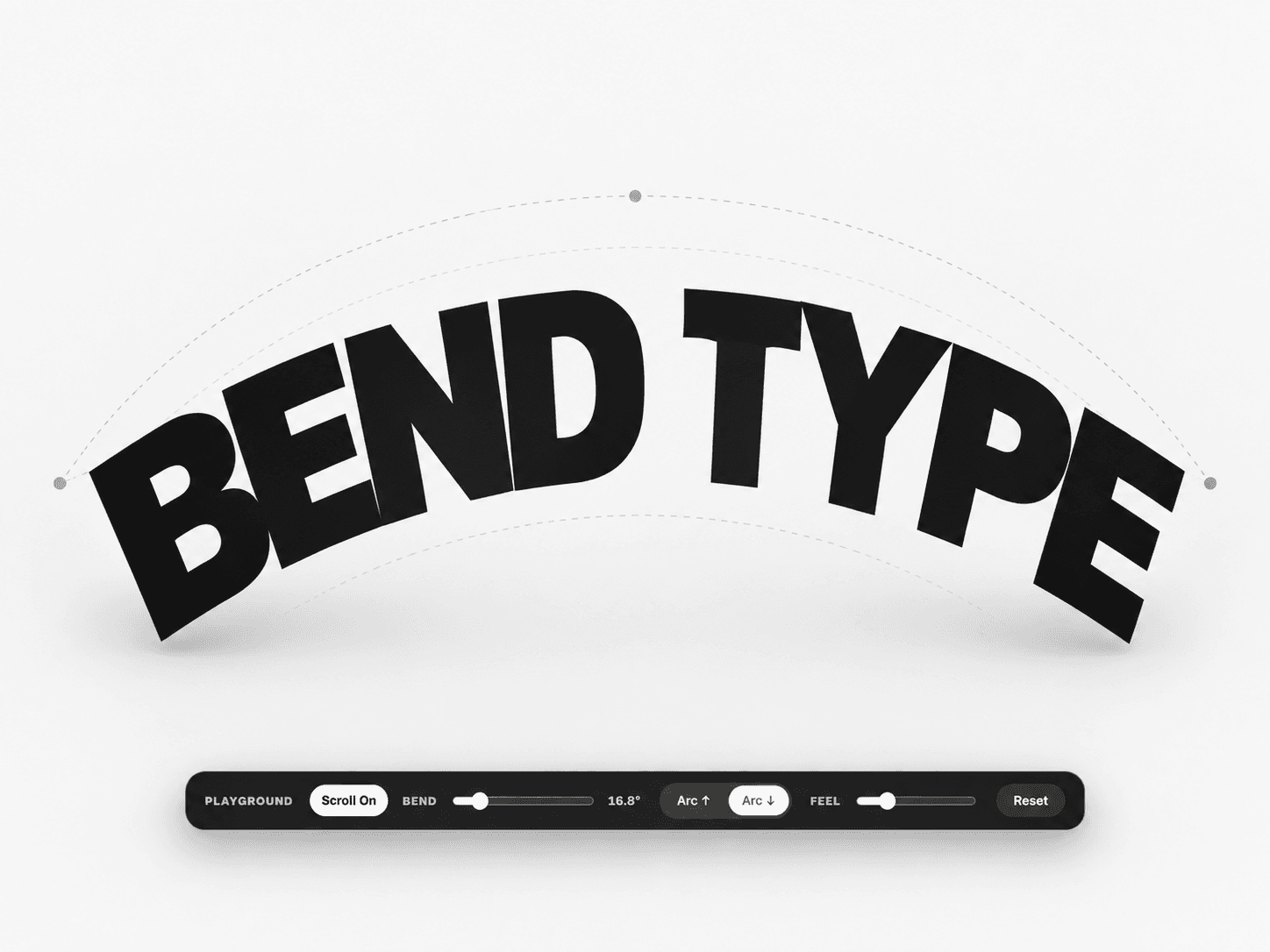
Bend typography into expressive arcs — with or without scroll.
✦ Typography That Moves With the Page
Bend Type turns ordinary words into bold curved compositions.
Use it as a static typographic treatment, or enable Scroll Trigger to make the type respond dynamically as the visitor moves through the page.
With scroll enabled, the letters progressively bend, become perfectly straight as the component reaches the center of the viewport, then bend naturally in the opposite direction as it moves past center.
The result feels responsive to the page rather than like a preset animation.
Setup
Add Bend Type to your Framer canvas.
Enter your word.
Adjust size, weight and spacing.
Choose your arc direction and bend strength.
Enable or disable Scroll Trigger.
Preview the page to experience the full scroll interaction.
Playground
Enable the optional floating Playground to let visitors interact with the effect directly.
They can quickly experiment with:
Scroll On / Off
Bend amount
Arc direction
Motion feel
Reset
Great for interactive portfolio sections, experimental landing pages and typography showcases.
How It Works
Bend — Controls the strength of the arc.
Arc — Switch between upward and downward bending.
Scroll Trigger — Toggle between scroll-responsive and static typography.
Scroll — Controls the length of the scroll interaction.
Response — Adjusts how directly the typography follows scrolling.
Typography — Control size, weight, spacing and color directly from Framer.
Key Features
Static or scroll-driven bending
Reverses bend direction after viewport center
Perfectly straight at the center point
Interactive optional Playground
Adjustable arc strength and direction
Smooth spring-based motion
Responsive layout
Works directly inside Framer
No external dependencies
Built for expressive hero sections, portfolio typography, editorial layouts and experimental web design.