About Agent Status
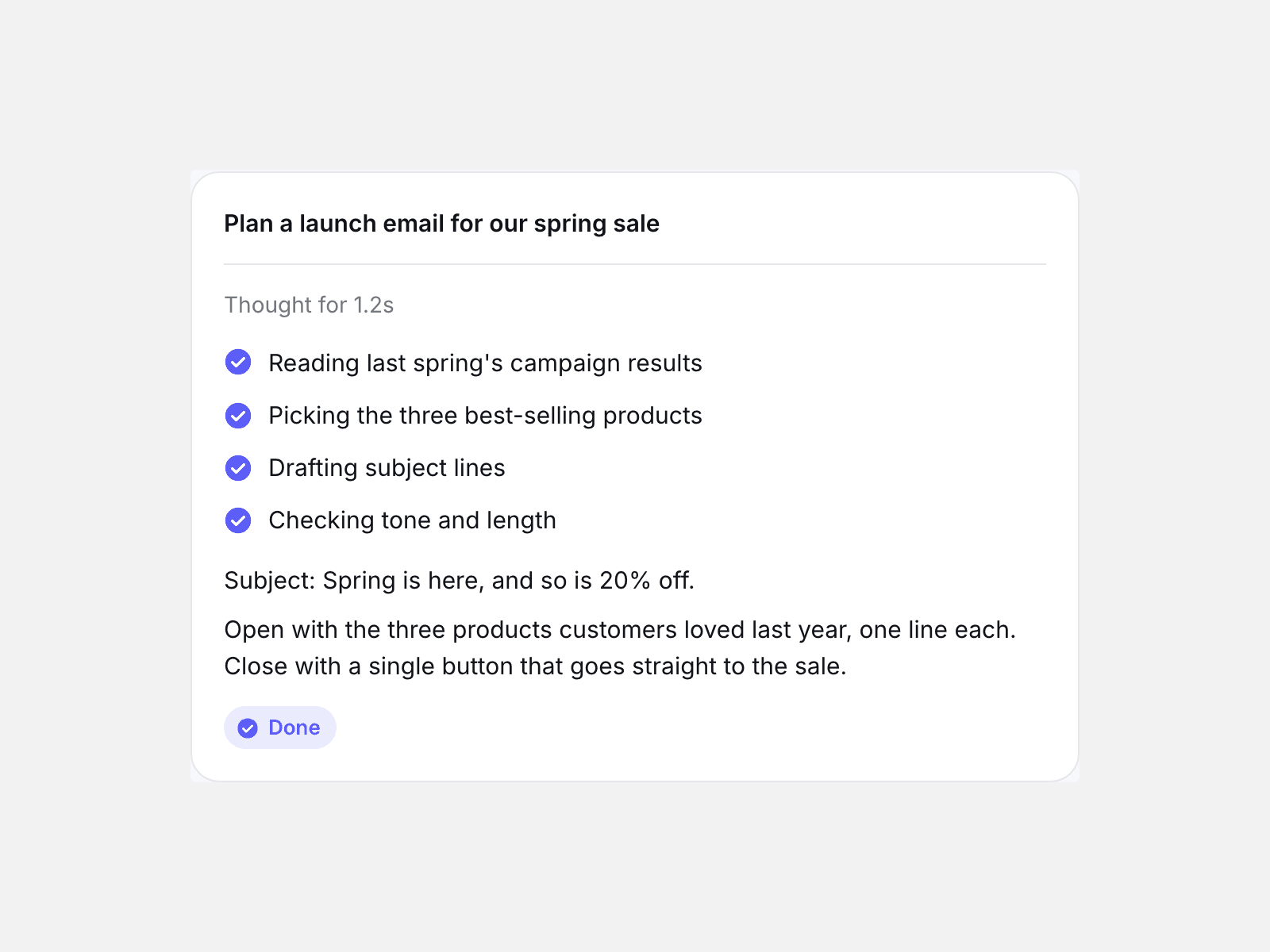
Agent Status plays an AI agent at work: it thinks, ticks through a checklist of steps, streams its answer word by word, then settles on done.
You set the steps, their timing and the answer in the properties panel; it starts when it scrolls into view and can play once or loop.
The Framer canvas and reduced motion show the finished result, and screen readers get the full answer instead of a stream of fragments.
- Four phases in order: thinking, steps, answer, done — each can be switched off.
- Streams by word or by character at a speed you choose, with a caret that follows the text while it types.
- Three looks: card, bubble and minimal, all driven by your colours and font.
What you control
• Prompt line, steps (label + duration each), answer text, done label
• Phases on/off, thinking time, stream unit (word or character), stream speed
• Start (in view or on load), play once or loop, loop pause
• Style (card, bubble, minimal), accent, text, muted, surface and border colours, font, text size, radius, width
Limits: it simulates an agent for presentation; it does not call any AI service.