Agents pricing for Enterprise
Learn how Agents usage and AI credits work on Enterprise plans.
Agents usage on Enterprise plans is measured using AI credits. This article explains how AI credits work, where to monitor usage, and the options available if your organization needs additional credits.
Understanding AI credits
Agents usage is measured in AI credits. Every Enterprise plan includes a monthly AI credit allotment.
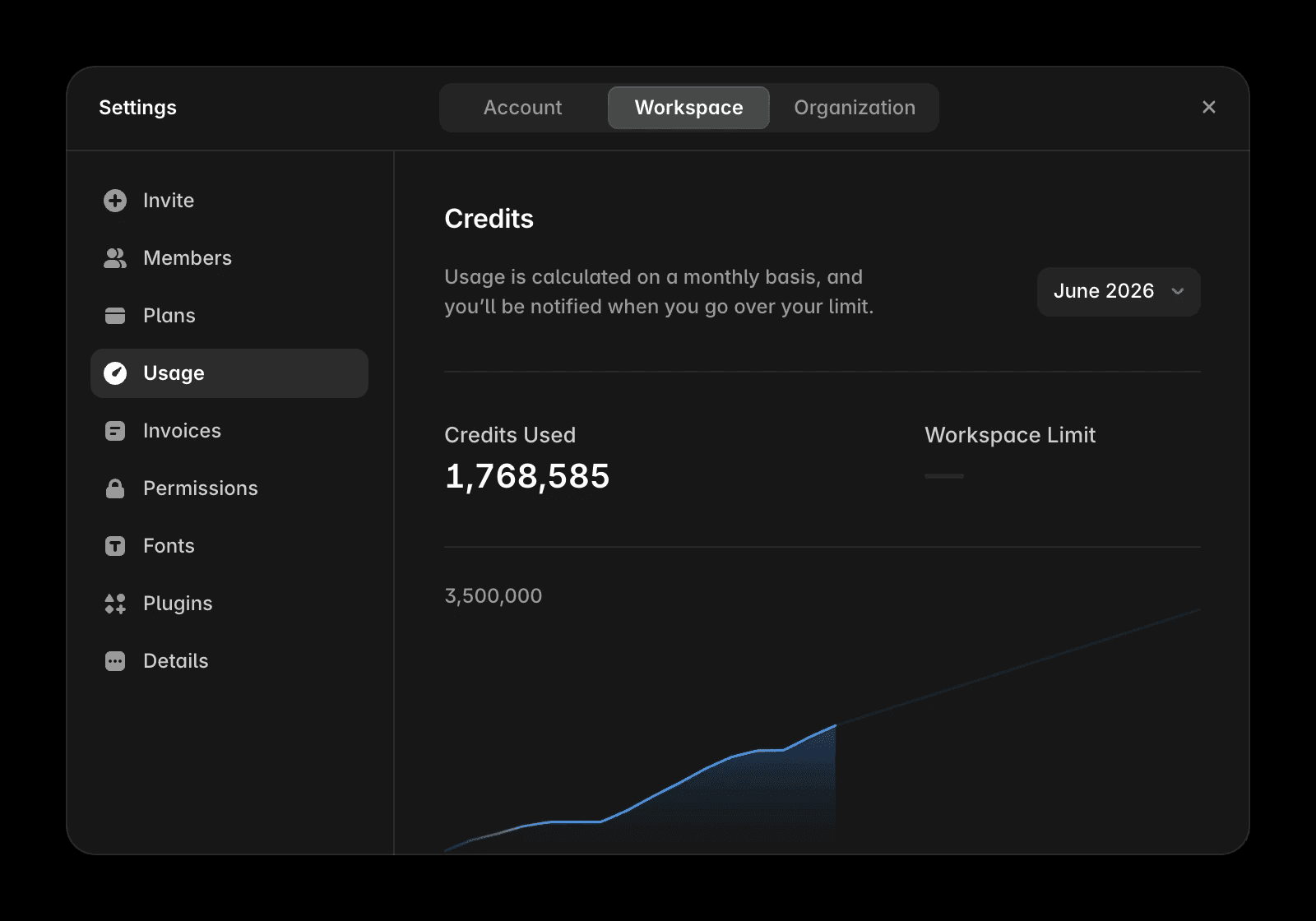
Your AI credit limit is not listed in your Enterprise agreement. Instead, you can view your included credits and current usage directly in Framer.
Admins and editors can review:
Current AI credit usage
Monthly AI credit limit
Which users are consuming credits
To view usage:
Open Workspace Settings.
Select Usage.
What happens when you approach your limit
Framer does not automatically charge Enterprise customers when they reach their included AI credit limit.
As your organization approaches its limit:
Email notifications are sent when you reach 80% and 100% of your included credits.
A banner appears on the Usage page when you are close to or have reached your limit.
The banner includes a link to contact Framer about additional credits.
No usage beyond your included credits is billed automatically. Additional credits are only added after your organization explicitly arranges them with Framer.
Getting more credits
If your organization requires additional AI credits, contact your Framer team to review usage and discuss available options.
You can reach out through:
Your shared Slack channel with Framer
Your shared Teams channel with Framer
Email at sales@framer.com
Managing Agents usage
Regularly reviewing AI credit usage can help your organization understand adoption and plan for future needs.
Admins and editors can use the Usage page to monitor credit consumption and identify which users are using credits.
If your organization does not want to use AI features, Enterprise admins can disable AI across an entire workspace or organization. For instructions, see How to disable AI for your workspace or organization.
FAQ
Does my Enterprise plan include AI credits?
Yes. Every Enterprise plan includes a monthly AI credit allotment. You can view your current limit and usage on the Usage page in Framer.
How is Agents usage measured?
Agents usage is measured in AI credits. All AI activity that counts toward your allotment is tracked through this credit system.
What happens if my team needs more credits than our plan includes?
Additional credits are arranged directly with Framer. Contact your Framer team through your shared Slack or Teams channel, or email sales@framer.com.
Updated
